One tap
per set.
Lacima logs your lifts on iPhone, Android, Apple Watch and Wear OS. Plan your routines, log each set from the phone, your wrist or the lock screen, and watch the numbers go up. It works offline, right there in the gym.
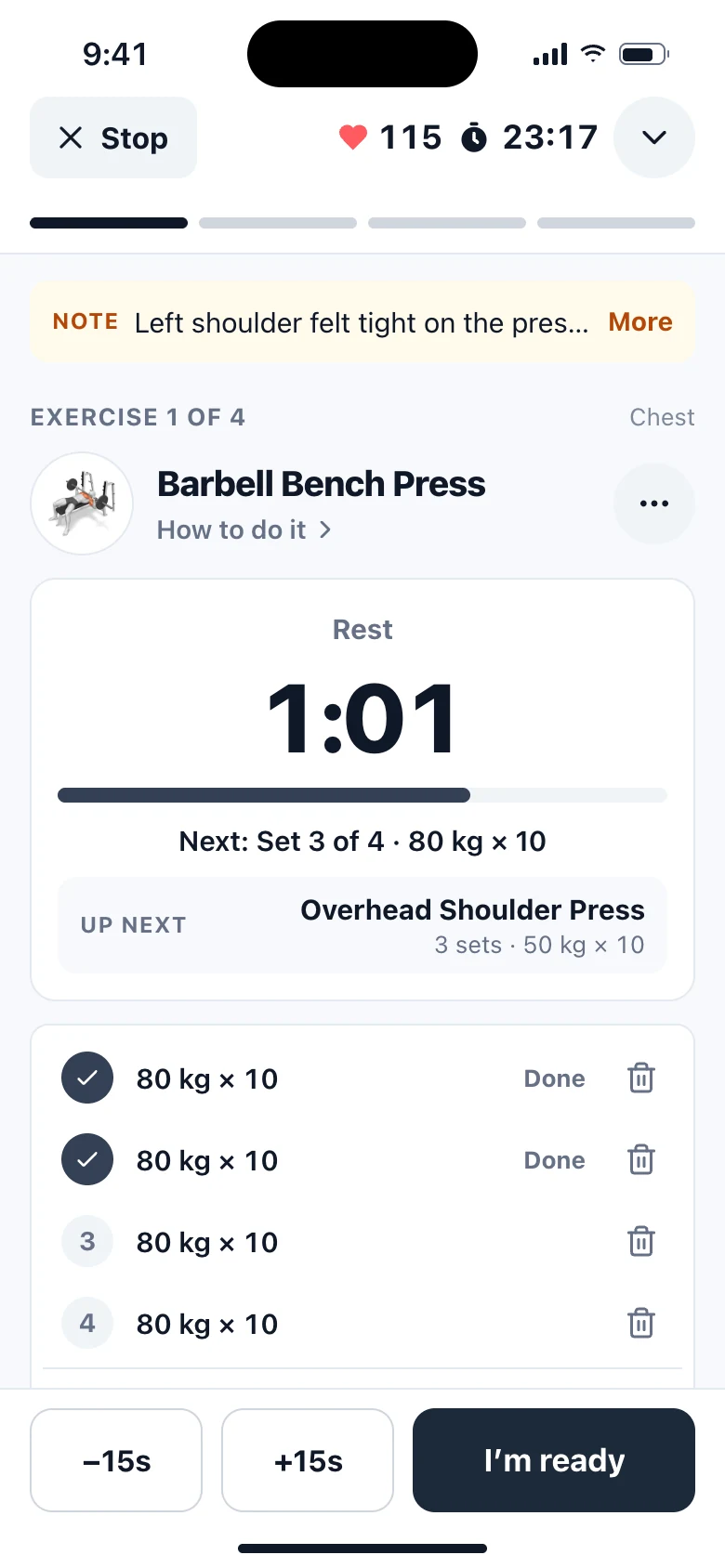
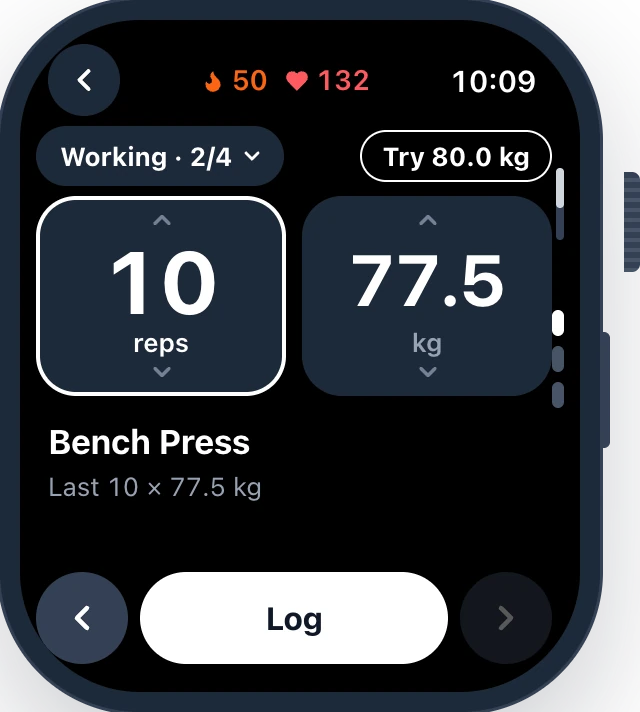
Less time on your phone. More time under the bar.
Today’s workout is ready when you open the app. The next set is already filled in from last time, so most sets are a single tap.
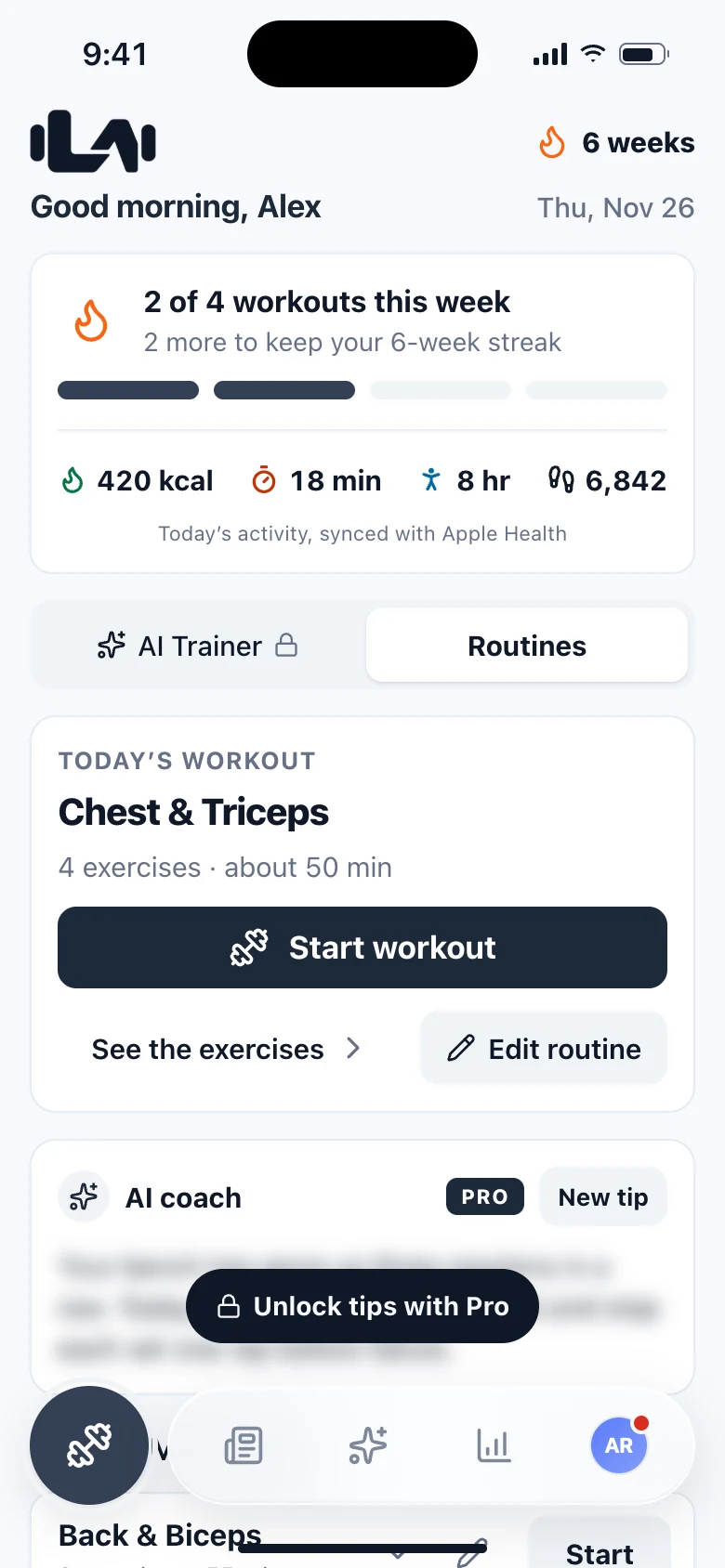
Today’s workout, ready when you are
Build routines from 450+ exercises or start from a ready-made split. Folders keep push, pull and legs in order.
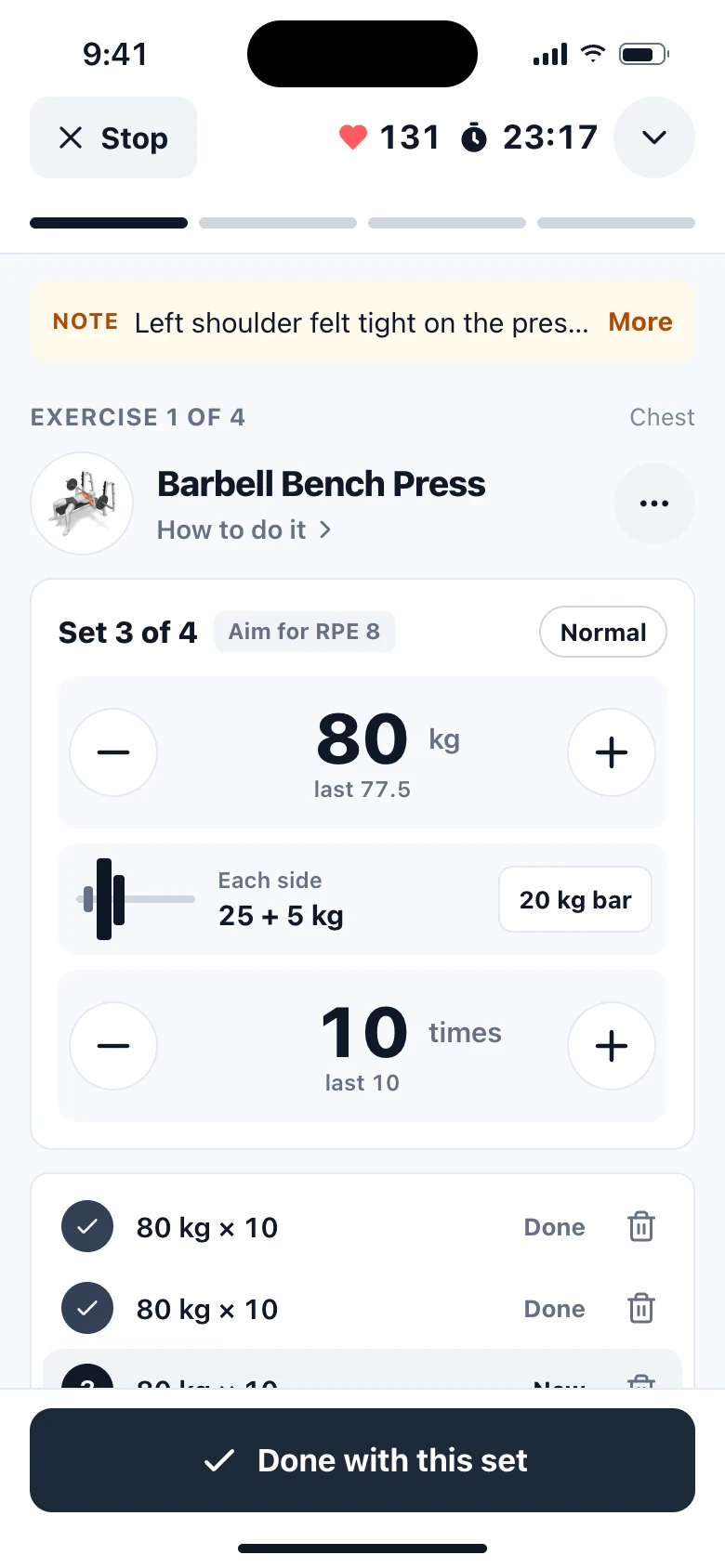
Last time’s numbers, already filled in
Weight and reps come from your last session. Tap Done, and the rest timer starts on its own. Plate math included.
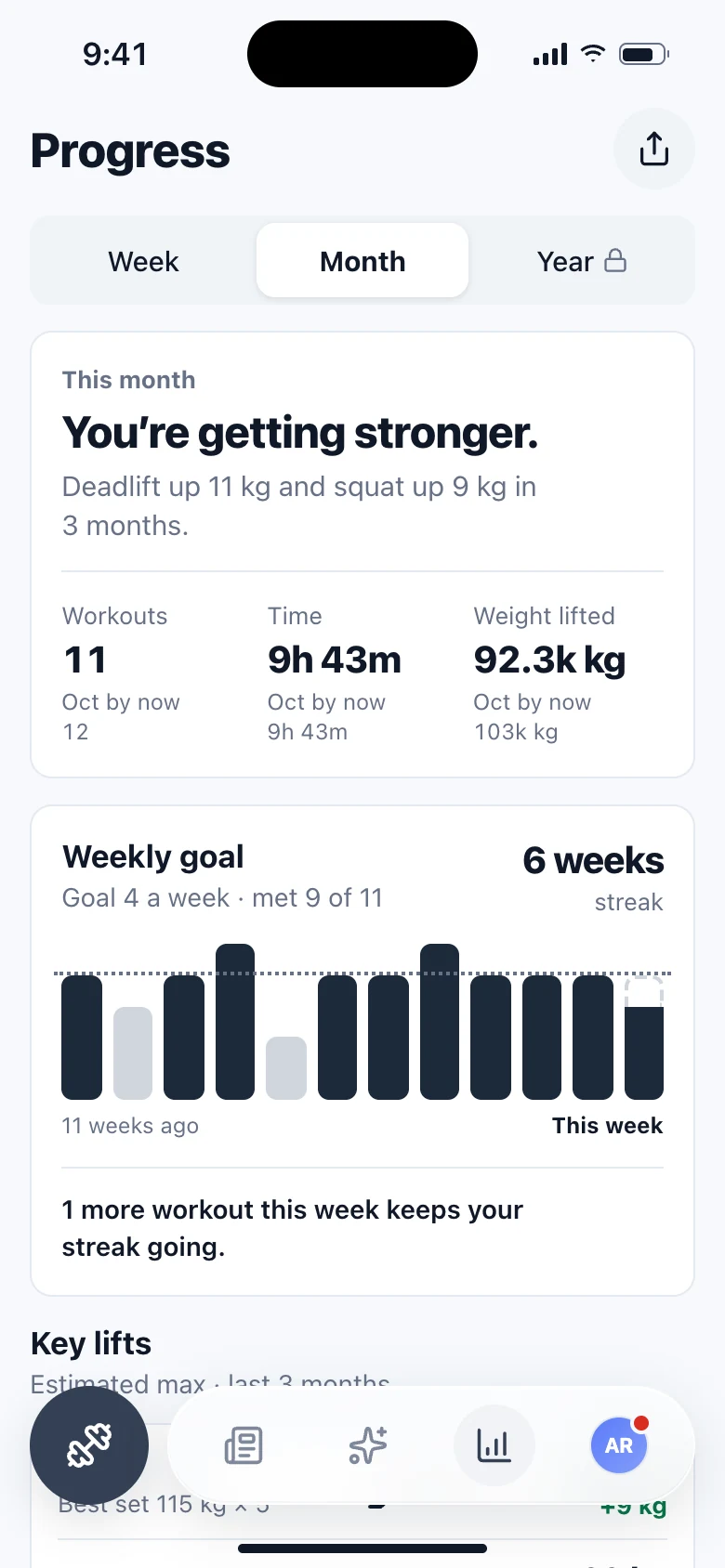
See every lift go up
Records, weekly goals and your key lifts over weeks, months and years. A streak keeps you coming back.
Leave the phone in the locker.
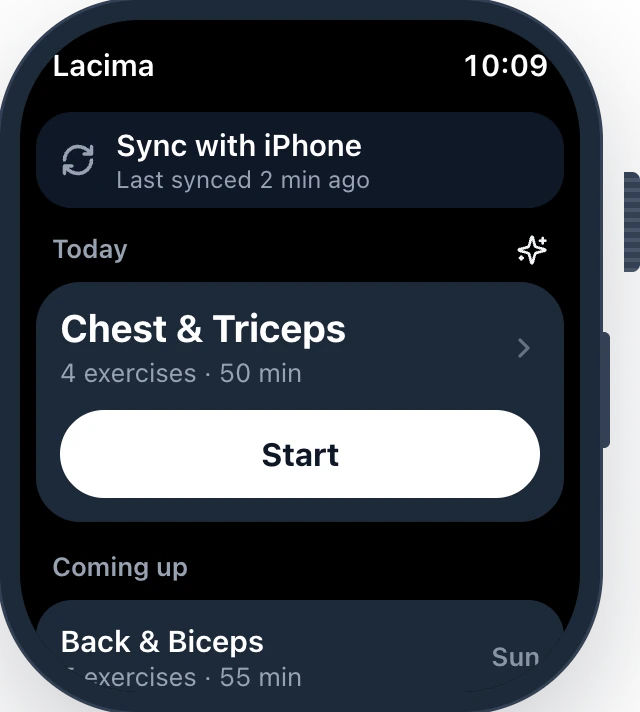
Start a routine on your wrist, change the weight with the crown and log each set. Rest counts down with a tap on your wrist, and your heart rate stays on screen.
- Works with the phone left at home: the watch keeps your routines and last weights.
- Up to 30 workouts wait on the watch and move to the phone when it’s back in range.
- Change weight with the crown, mark warm-ups, see a new personal best the moment it happens.
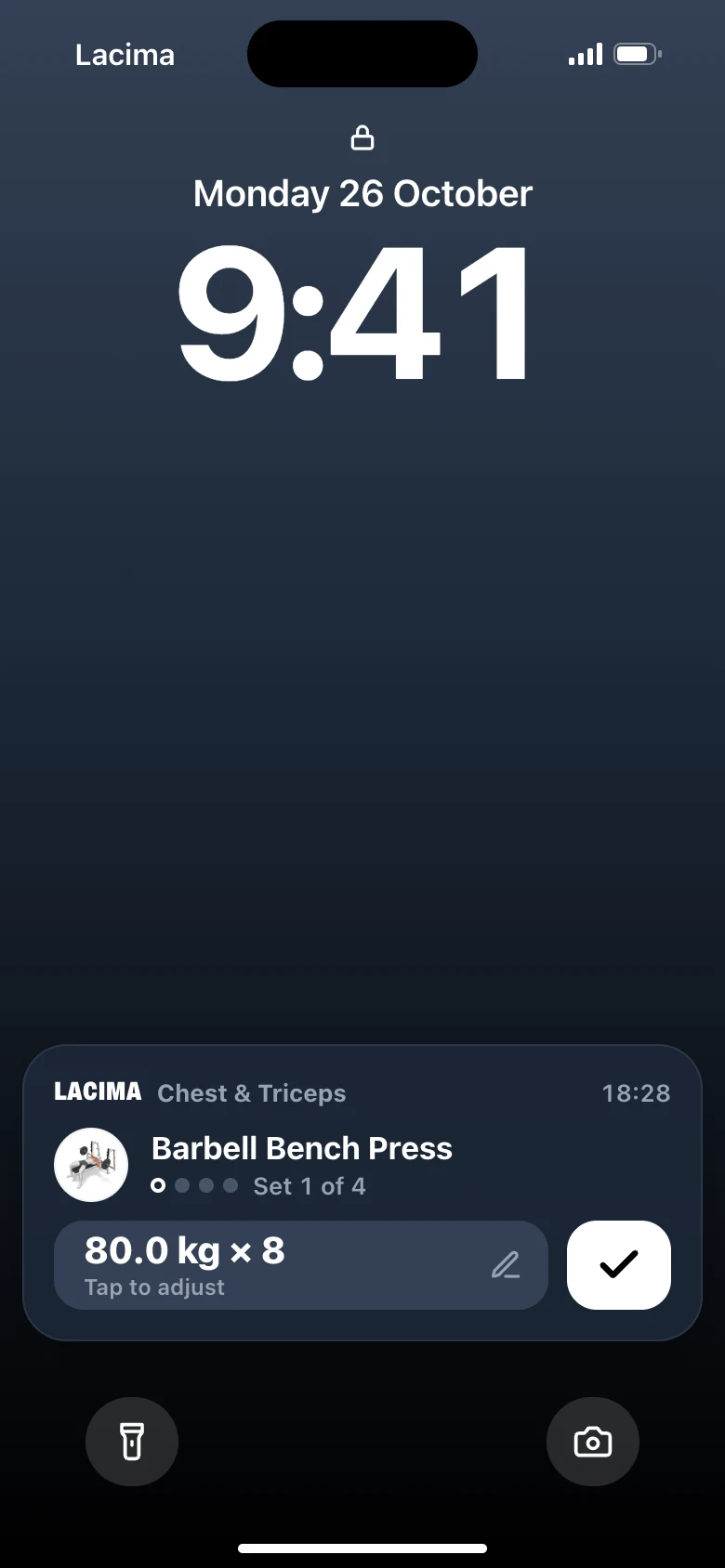
Log the set without unlocking.
Your planned weight and reps sit on the lock screen, in a Live Activity on iPhone and a live notification on Android. One tap on the check logs the set, and the rest timer starts on its own.
Tap the numbers to change them first. Personal records show up right there.
Switching from Hevy or Strong?
Your workouts come with you. Every workout, set, weight and rep moves across, so your records and charts pick up where they left off.
Export a CSV file
Your old app saves your history as one file.
- Hevy
- Profile › Settings › Export & Import Data › Export Workouts
- Strong
- Profile › Settings › Export Strong Data
Choose it in Lacima
During setup, or any time from You › My data › Import from Hevy or Strong.
Check, then import
Lacima shows how many workouts and sets it found and how exercises are matched before anything is saved. Changed your mind? Undo is one tap.
Lacima is an independent app and isn’t affiliated with, endorsed or sponsored by Hevy or Strong. Hevy and Strong are trademarks of their respective owners.
Free to log. Pro when you want more.
Every new account gets 2 weeks of Pro after setup. No card needed, and nothing you log is ever deleted.
- Set logging, rest timer and cardio
- Apple Watch, Wear OS and lock screen
- Unlimited custom exercises
- Up to 4 routines
- Last 3 months of history, week and month charts
- Unlimited routines
- Your full history, plus year and advanced charts
- Lacima AI: coach tips, chat and training plans (100 messages a month)
- Streak freezes for the weeks life gets in the way
- Everything in Free
Prices include VAT and are the same on the App Store and Google Play, shown in your local currency at checkout. Monthly and yearly renew until you cancel in your store account.
Questions
Something else? Write to hello@lacima.app, or use Help in the app’s Settings.
Is Lacima free?
Yes. Logging, the rest timer, cardio, the watch apps and the lock screen are free with no time limit, with up to 4 routines and your last 3 months of history.
What happens when the 2 weeks of Pro end?
You keep everything you logged. If you have more than 4 routines, the first 4 stay usable and the rest are saved but locked until you go Pro. Nothing is deleted.
Can I bring my workouts from Hevy or Strong?
Yes. Export a CSV file from Hevy or Strong, then choose it in Lacima during setup or later from You › My data. Every workout, set, weight and rep comes across. Lacima isn’t affiliated with, endorsed or sponsored by Hevy or Strong.
Do I need a watch?
No. The watch apps are there if you want them. On the phone, you can also log from the lock screen.
Which watches work?
Apple Watch with an iPhone, and Wear OS watches with an Android phone. The watch keeps your routines, so you can leave the phone in the locker. Workouts move to the phone when it’s back in range.
Does it work without signal?
Yes. Every workout saves on your device first and syncs when you’re back online.
Kilograms or pounds?
Both. Lacima picks kg or lb, km or mi from your region, and you can change it any time in Settings.
Which languages?
English, Catalan, Dutch, French, German, Italian, Polish, Portuguese (Brazil), Russian, Spanish and Turkish.
How do I cancel Pro?
In your App Store or Google Play subscriptions. Pro stays on until the end of the period you paid for. Lifetime is a single payment with nothing to cancel.
Where is my data kept?
On servers in the EU (Frankfurt). Usage analytics and session recordings are off unless you turn them on. You can export your workouts as a CSV file or delete your account from Settings.
Your next workout is one tap away.
For iPhone with Apple Watch, and Android with Wear OS.